Loading…
Export
Your itinerary in every format
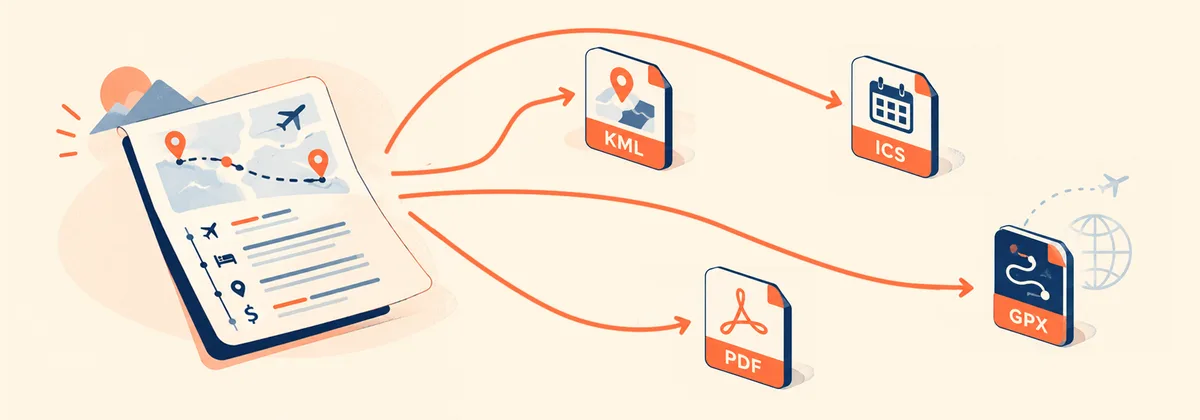
Export any trip to KML for Google Maps, GPX for Garmin or OsmAnd, a formatted PDF, plain text, or a calendar file — all from one button.
Try it freeFree · No credit card
Supported export formats
KML
Google Maps · Organic Maps · Maps.me · Google Earth
Places and hotels as map pins, organized by day in folders. Open in Google Maps, Organic Maps, Maps.me, or Google Earth for offline navigation. Ideal for trekking routes where you need offline maps.
GPX
Garmin · OsmAnd · Komoot · Strava
Waypoints and day tracks in GPX 1.1 format. Each day is a separate color-coded track. Compatible with Garmin devices, OsmAnd, Komoot, and Strava.
Print · Share · Archive
A formatted travel document with cover page, day-by-day plan, map, and photos. Ready to print or share with people who don't use apps.
TXT
Any text viewer
Plain text version of your itinerary organized by day. Paste into email, WhatsApp, or Notion. Works everywhere, no app required.
ICS
Google Calendar · Apple Calendar
Each day as a calendar event. Import into Google Calendar or Apple Calendar to see your trip alongside your other events. Available in the trip planner.
JSON
Full itinerary backup
Complete export of your itinerary in JSON format — all days, places, hotels, transport, expenses, and notes. Use it as a backup or to restore the trip later. Available in the trip planner.
How to export
1
1
Open your itinerary
PDF and KML are available on any public itinerary page. GPX, TXT, ICS, and JSON backup are available in the trip planner at app.tripset.io.
2
2
Click Export
Find the Export button in the toolbar. Choose your format from the list.
3
3
Download and open
The file downloads instantly. Open it in your preferred app — Google Maps, Garmin, your calendar, or any text editor.
Frequently asked questions
How do I export an itinerary to Google Maps?
Export as KML from TripSet, then open Google Maps on desktop → My Maps → Import. Your places and routes appear as a custom map layer you can use offline on your phone.
Can I use the KML file in Organic Maps or Maps.me for offline trekking?
Yes. Export as KML from TripSet, then import the file into Organic Maps or Maps.me — both support KML natively. Your stops appear as bookmarks on the offline map, which is useful for trekking routes in areas with no mobile coverage, such as Morocco's Atlas Mountains or Indonesian national parks.
Can I use the exported GPX file on a Garmin device?
Yes. Export as GPX from TripSet and transfer the file to your Garmin via USB or Garmin Express. Each day appears as a separate track with waypoints for places and hotels.
Does the KML file include my hotel bookings?
Yes. Hotels appear as distinct map pins alongside places. The KML is organized into folders by day, so each day's stops — including the hotel — are grouped together.
What does the exported PDF look like?
The PDF includes a cover page with the trip title and dates, a day-by-day plan with all stops, transport, and notes, plus a map overview. It's formatted for printing or sharing digitally.
Can I export an itinerary I copied from another traveler?
Yes, once you copy an itinerary it's fully yours. The original creator can turn off PDF or KML export on the public page — by default both are enabled. GPX, TXT, and ICS are trip-planner-only and aren't affected by this setting.
Does the GPX file work with OsmAnd for offline navigation?
Yes. Import the GPX file into OsmAnd and each day's track appears as a separate route with waypoints. You can navigate offline once you've downloaded the map tiles for your region.
Can I export just one day instead of the full itinerary?
The export includes all days by default. For single-day navigation, open the KML in Google Maps or the GPX in OsmAnd and filter by the day folder you need.
Also useful
Animated route video →
Generate an MP4 of your route moving across a map — for Reels or a visual overview.
AI ticket import →
Drop a flight or hotel PDF — AI fills in all the details automatically.
Publish your trip →
Share it on Explore and choose exactly which export formats a copy gets.
Browse Explore →
See published trips other travelers have shared, with their own export settings.
Ready to export your trip?
Free to use. No credit card required.
Start planning